
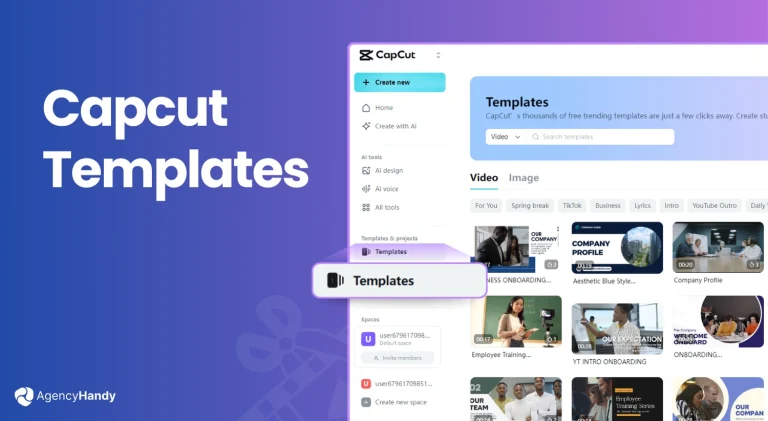
How to Use CapCut App and CapCut Templates – Complete Advanced Guide (2026)
CapCut has become one of the most powerful and beginner-friendly video editing apps in recent years. How to Use CapCut App & Templates – Complete Beginner Guide 2026 ,Millions of creators use CapCut daily to create viral Instagram Reels, TikTok videos, and YouTube Shorts without professional editing skills.
In this complete guide, you will learn how to use the CapCut app, how to use CapCut templates, and how to create high-quality viral videos step by step.
What is CapCut App?
CapCut is a free video editing application developed by ByteDance. It provides professional-level editing tools combined with easy controls, making it ideal for beginners and advanced creators. How to Use CapCut App and CapCut Templates – Complete Advanced Guide (2026)
Key Features of CapCut
- Ready-made CapCut templates
- Auto beat sync with music
- Advanced text animations
- Cinematic filters & effects
- Smooth transitions
- High-quality export up to 4K
How to Use CapCut App (Manual Editing – Step by Step)
Step 1: Install and Open CapCut
- Download CapCut from Google Play Store or Apple App Store
- Open the app and allow required permissions
Step 2: Create a New Project
- Tap on New Project
- Select photos or videos from your gallery
- Click Add
Your media will appear on the editing timeline.
Step 3: Understand CapCut Editing Tools
✂ Split Tool
- Cut long videos into smaller clips
- Remove unwanted parts easily
🎵 Audio Tool
- Add background music
- Import your own sound
- Record voice-over
📝 Text & Captions
- Add animated text
- Choose stylish fonts
- Adjust text timing with video
✨ Effects & Filters
- Apply trending video effects
- Use cinematic filters
- Enhance video colors
🎞 Overlay Feature
- Add extra videos or images
- Create double exposure effects
- Add logo or watermark
Step 4: Export Video
- Tap Export (⬆️)
- Choose resolution (1080p recommended)
- Save video to gallery
How to Use CapCut Templates (Trending & Fast Method)
CapCut templates are pre-designed video styles that automatically apply effects, transitions, and beat sync. How to Use CapCut App and CapCut Templates – Complete Advanced Guide (2026)
Step 1: Open Templates Section
- Open CapCut
- Tap on Templates from the bottom menu
Step 2: Choose a Trending Template
You can:
- Browse templates inside CapCut
- Or use template links from trusted websites like
👉 capcuttemplatex.com
Popular templates include:
Step 3: Use Template
- Tap Use Template
- Select required photos or videos
- Preview final output
CapCut automatically edits everything for you.
Step 4: Export Template Video
- Tap Export
- Choose with or without watermark
- Save video
Benefits of Using CapCut Templates
- No editing knowledge required
- Saves time
- Perfect beat sync
- Professional output
- Ideal for social media growth
Best Tips for Viral Videos Using CapCut
- Keep video length 7–15 seconds
- Use trending templates daily
- Upload consistently
- Follow trending music
- Use high-quality photos
Why CapCut is Best for Beginners?
CapCut combines simplicity + professional tools, making it perfect for:
- New creators
- Influencers
- Bloggers
- Small businesses
Easy Another Way Knowing Capcut .
CapCut has become one of the most powerful and beginner-friendly video editing apps in the world. In 2026, CapCut is no longer just an editing app — it is a complete content creation tool for Instagram Reels, TikTok videos, YouTube Shorts, and even short ads for businesses. How to Use CapCut App and CapCut Templates – Complete Advanced Guide (2026)
If you are a beginner and don’t know how to use CapCut app or how to use CapCut templates, this complete guide will help you step by step — from installation to exporting viral videos.
What Is CapCut?
CapCut is a free video editing application developed by ByteDance (the company behind TikTok). It is designed for users who want professional-looking videos without complex software.
CapCut is available on:
- Android
- iOS
- Windows (Desktop)
- Mac (Desktop)
Why CapCut Is Best for Beginners in 2026
CapCut is perfect for beginners because it offers:
- Simple interface
- Ready-made templates
- Automatic beat sync
- Drag-and-drop editing
- High-quality export without watermark (in many cases)
Even if you have zero editing experience, you can create viral videos in minutes.
CapCut App vs CapCut Templates (What’s the Difference?)
Before learning how to use CapCut, it’s important to understand the difference:
CapCut App (Manual Editing)
- You edit everything yourself
- Full control over video
- Best for learning editing skills
CapCut Templates
- Pre-designed video styles
- Automatic effects, transitions & music
- Best for fast, viral content
Beginners should start with templates, then slowly move to manual editing.
How to Download and Install CapCut App
Step 1: Download CapCut
- Android: Google Play Store
- iPhone: Apple App Store
- PC: Official CapCut website
Step 2: Open the App
- Allow storage and media permissions
- You can use CapCut without login, but logging in saves projects
How to Use CapCut App (Manual Editing – Step by Step)
Step 1: Create a New Project
- Open CapCut
- Tap on New Project
- Select photos or videos
- Click Add
Your selected media will appear on the timeline.
Step 2: Understand the CapCut Timeline
The timeline is where all editing happens:
- Drag clips to rearrange
- Zoom timeline for accuracy
- Tap clips to edit individually
Step 3: Basic Editing Tools in CapCut
Split Tool
- Cut unwanted parts
- Perfect for short videos
Adjust Tool
- Brightness
- Contrast
- Saturation
- Sharpen
Speed Tool
- Slow motion
- Fast motion
- Smooth transitions
Step 4: Adding Music and Audio
- Tap Audio
- Choose:
- Sounds
- Extracted audio
- Your own music
- Sync audio with video beats
Music plays a big role in viral videos.
Step 5: Add Text and Captions
- Tap Text
- Choose animated styles
- Adjust timing
- Perfect for subtitles and hooks
Short, bold text increases watch time.
Step 6: Effects, Filters, and Transitions
- Use Effects for viral looks
- Use Filters for mood
- Add Transitions between clips
Avoid overusing effects — simple edits perform better.
Step 7: Export the Video
- Tap Export (⬆️)
- Choose resolution (1080p recommended)
- Choose frame rate (30fps or 60fps)
- Save to device
Your video is now ready to upload 🎉
How to Use CapCut Templates (Beginner & Trending Method)
CapCut templates are the fastest way to create viral videos in 2026.
How to Use CapCut App and CapCut Templates – Complete Advanced Guide (2026)
Step 1: Open Templates Section
- Open CapCut
- Tap Templates from the bottom menu
Step 2: Find a Trending Template
You can:
- Browse inside CapCut
- Use template links from websites like
👉 capcuttemplatex.com
Popular template types:
- Travel templates
- Beat sync templates
- Sad / emotional templates
- Love & aesthetic templates
Step 3: Use the Template
- Tap Use Template
- Select required photos/videos
- Preview the video
CapCut automatically applies:
- Music
- Effects
- Transitions
- Beat sync
Step 4: Export Template Video
- Tap Export
- Choose with or without watermark
- Save video
Templates save time and guarantee professional output.
Healing Thailand CapCut Template (Example Tutorial)
How to Use CapCut App and CapCut Templates – Complete Advanced Guide (2026)
What Is Healing Thailand CapCut Template?
This template is famous for:
- Calm visuals
- Cinematic transitions
- Peaceful music
- Travel & nature vibes
How to Use Healing Thailand CapCut Template
- Open template link
- Tap Use Template in CapCut
- Select 6–10 high-quality photos/videos
- Preview
- Export in 1080p
Best for:
- Travel reels
- Nature videos
- Peaceful Instagram content
Best Practices for Beginners Using CapCut
Keep Videos Short
- Ideal length: 7–15 seconds
- Short videos perform better
Use High-Quality Media
- Clear photos
- Stable videos
- Good lighting
Follow Trends
- Trending music
- Trending templates
- Trending effects
Common Mistakes Beginners Should Avoid
- Overusing effects
- Long videos
- Low-quality images
- Ignoring music beats
- Too much text
Simple videos = better performance.
CapCut for Instagram, TikTok & YouTube Shorts
CapCut is optimized for:
- Instagram Reels (9:16)
- TikTok videos (9:16)
- YouTube Shorts (9:16)
Always export in vertical format for best results.
Why CapCut Templates Are Best for Fast Growth
- No learning curve
- Professional look
- Viral-ready content
- Perfect for beginners
- Saves editing time
This is why creators prefer CapCut templates in 2026.
Is CapCut Free in 2026?
Yes, CapCut is free with:
- Free templates
- Free effects
- Free export
Some advanced assets may be premium, but beginners don’t need them.
Final Thoughts
CapCut is the best video editing app for beginners in 2026. Whether you want to manually edit videos or use ready-made CapCut templates, this app makes content creation easy, fast, and professional.
If you want the latest trending CapCut templates, tutorials, and updates, visit:
👉 https://capcuttemplatex.com
✅ 3️⃣ Specific Template Tutorial Article
Healing Thailand CapCut Template – Complete Tutorial
What is Healing Thailand CapCut Template?
Healing Thailand CapCut Template is a calm, cinematic template used for travel, nature, and peaceful videos. It features smooth transitions, soft colors, and relaxing music.
How to Use Healing Thailand CapCut Template
- Open Healing Thailand template link
- Tap Use Template in CapCut
- Select 6–10 photos or videos
- Preview the video
- Export in 1080p
Best Use Cases
- Travel reels
- Nature videos
- Aesthetic Instagram posts
- YouTube Shorts
Pro Tips
- Use landscape or high-resolution photos
- Choose calm music version
- Avoid over-editing
Final Conclusion
Whether you use manual editing or CapCut templates, CapCut is the best tool for creating viral short videos in 2026.
For latest trending CapCut templates, visit
👉 https://capcuttemplatex.com